

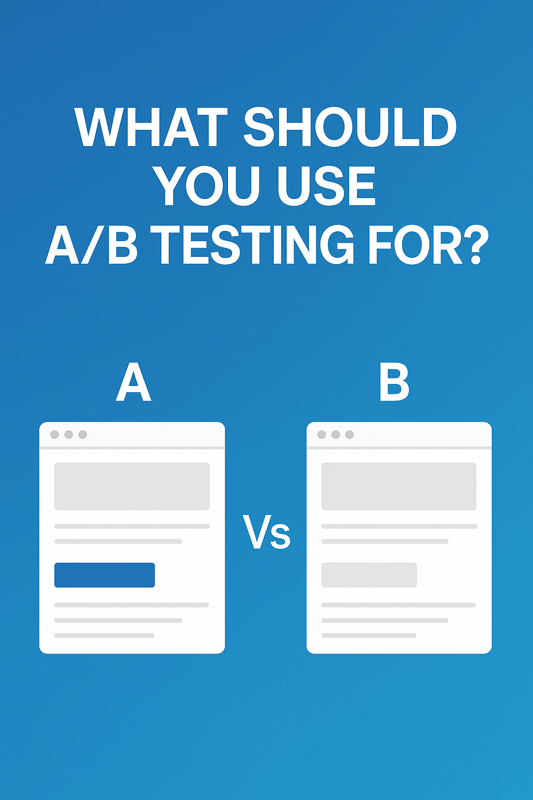
What should you use AB Testing for?

Published by:
Kenny
What Should You Use A/B Testing For? (Shopify Edition)
If you’ve ever wondered what you should test on your Shopify store — you’re not alone. Many merchants know that A/B testing can boost conversions, but don’t know where to start or what to test first.
In this post, we’ll break down the most impactful areas to A/B test, how to choose the right experiments, and why testing with a tool like Theme Scientist makes all the difference.
🚀
Why A/B Testing Matters for Shopify Merchants
A/B testing lets you make data-driven decisions instead of relying on gut feelings or copying what competitors are doing. It answers questions like:
- “Does this CTA convert better than the old one?”
- “Will a shorter product description boost mobile engagement?”
- “Should I move the reviews higher on the page?”
Even small design or copy tweaks can lead to big gains in conversion rate, AOV, and retention — if you test smart.
🔍
What Should You Use A/B Testing For? Top Ideas by Page Type
🏠
Homepage
Your homepage is often your first impression — and testing here can have a ripple effect throughout your entire store.
Test ideas:
- Hero banner images or videos
- Headline variations (value prop, urgency, or social proof)
- CTA button text or colors
- Featured product layouts (grid vs carousel)
- “Free Shipping” bar messaging or placement
Goal: Improve time on site and first click-through.
📄
Product Pages (PDP)
This is one of the most important places to run tests. It’s where decisions happen.
Test ideas:
- Product title formatting
- “Add to Cart” button color, size, or placement
- Review stars above the fold vs below
- Price display (crossed-out original, % saved, bundle offers)
- Image order or product video placement
- Urgency or scarcity messaging (e.g. “Only 2 left!”)
Goal: Increase add-to-cart rate and conversion rate.
🛒
Cart Drawer or Cart Page
Many Shopify stores overlook this — but testing in the cart flow can prevent drop-off right before checkout.
Test ideas:
- Free shipping progress bars
- Product upsells or cross-sells
- Showing discount codes vs hiding them
- Displaying trust badges or testimonials
- Simplifying the cart UI for mobile
Goal: Reduce cart abandonment.
🧾
Checkout (Shopify Plus only)
For Shopify Plus users who can customize the checkout, this is prime real estate for testing.
Test ideas:
- Trust badges and guarantees
- Short vs detailed order summaries
- One-page vs multi-step checkout (if using custom checkouts)
- Progress indicators or delivery timelines
Goal: Improve checkout completion rate.
📱
Mobile vs Desktop UX
Always test across devices. Mobile often makes up 70%+ of Shopify traffic, but what works on desktop doesn’t always win on mobile.
Test ideas:
- Sticky add-to-cart buttons
- Accordion vs full text product descriptions
- Button placement (thumb-friendly zones)
- Hiding non-critical content
Goal: Optimize mobile-specific experience.
✉️
Popups and Email Capture
Don’t just throw up a popup and hope it works. A/B test it.
Test ideas:
- Timing (5 seconds vs scroll-triggered vs exit intent)
- Discount vs free gift incentive
- Headline or CTA wording
- Image vs plain-text look
- Multi-step (Yes/No) popup vs single field
Goal: Increase email sign-up rate without hurting bounce rate.
🎯
How to Choose What to Test First
Testing everything at once? Bad idea. You need a strategy.
Start with:
- Pages with the most traffic (usually homepage or PDP)
- Elements closest to conversion (like ATC buttons, pricing, checkout flow)
- Low-performing areas (bounce rate high? Start there.)
Use Shopify Analytics or GA4 to identify these spots.
💡 Bonus: Unexpected A/B Test Ideas
Looking to go deeper? Try these underutilized test ideas:
- Pricing formats: “$39.99” vs “Only $39.99” vs “$39”
- Testimonials vs Reviews: Which builds more trust?
- FAQ placement: Does adding FAQ to PDP reduce support tickets or increase conversion?
- Sort order on collection pages
- Visuals with models vs product-only
- Cart total vs itemized discount at checkout
Each of these can uncover surprising insights about your customers.
🧪 Use Theme Scientist to Test Smarter, Not Harder
Testing doesn’t need to be technical, expensive, or time-consuming.
Theme Scientist is the Shopify A/B testing app built for merchants like you. It lets you:
- Run tests without duplicating themes
- Quickly preview and publish variants
- See conversion data and confidence scores in real time
- Optimize layout, messaging, popups, cart drawers, and more
📌 Try Theme Scientist free for 14 days →
📌 Final Thoughts: What to Use A/B Testing For
A/B testing is one of the highest ROI activities you can do for your Shopify store — if you know what to test and how to analyze the results. Use it to:
✅ Understand your customers
✅ Reduce bounce and drop-off
✅ Improve conversions with data, not guesses
✅ Continuously evolve your store without risky redesigns
Latest post
Our Recent Blogs
Jun 16, 2025
How to Analyze AB Test Results
May 15, 2025
What should you use AB Testing for?
Stop Guessing: How to A/B Test Multiple Shopify Page Elements Like a Pro